
Your library
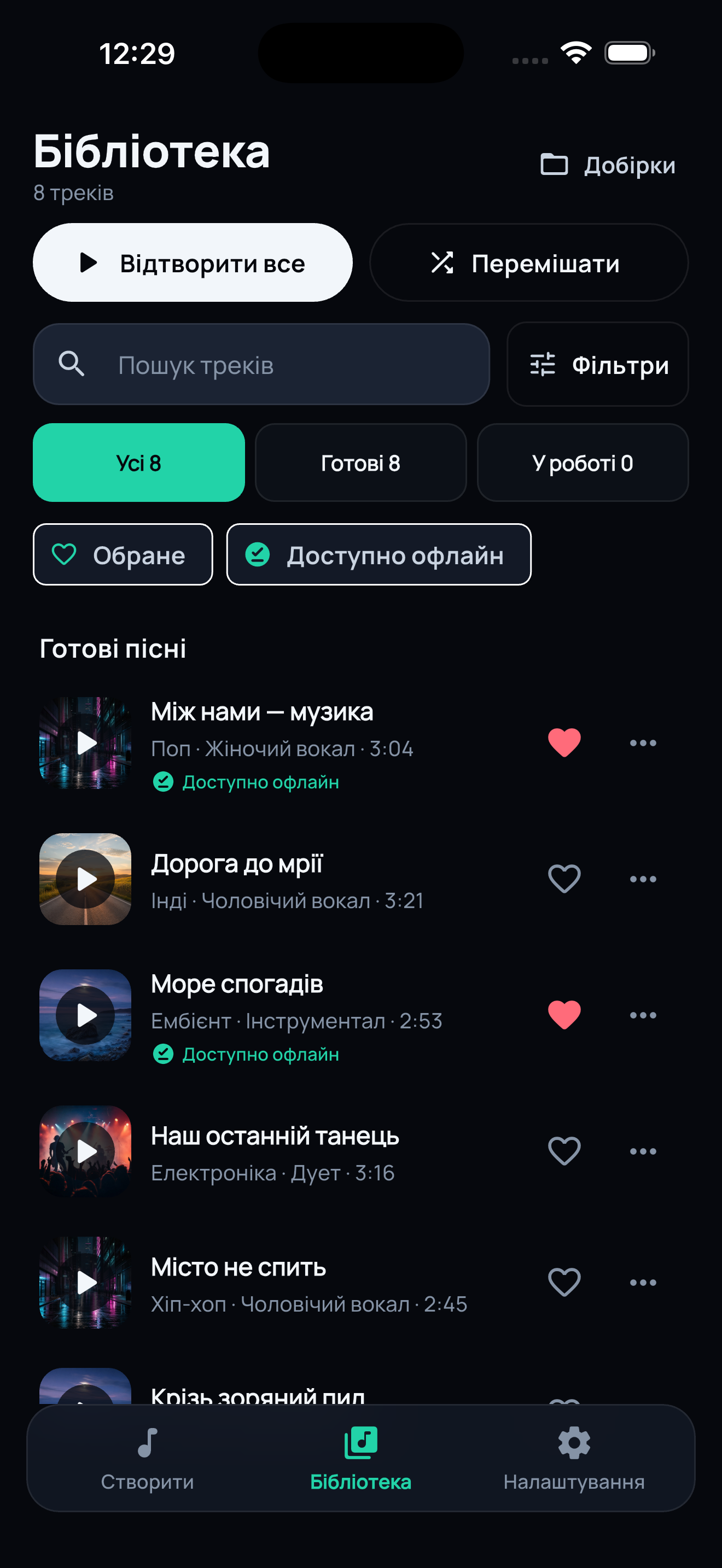
Browse the songs you have created in Ritzma, with cover art and simple lists.
Ritzma on the road
Listen to your Ritzma library in compatible cars, with familiar tabs for Home, Library and Downloads.
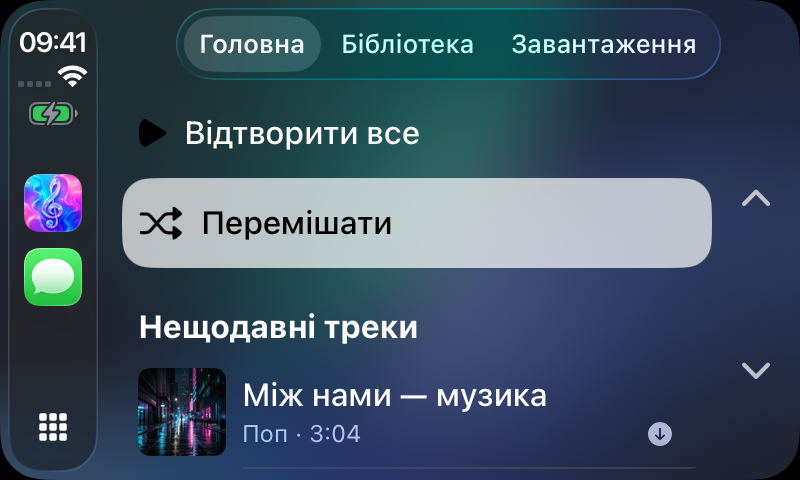
Screenshots show the Ukrainian interface.
RITZMA / CARPLAY & ANDROID AUTO
Browse the songs you have created in Ritzma, with cover art and simple lists.
Open your favorite songs quickly and save the current song to favorites from the player.
Listen to the collections you have organized on your phone, in order or shuffled.
Save songs on your phone before the trip. Offline playback requires an active subscription with offline access.
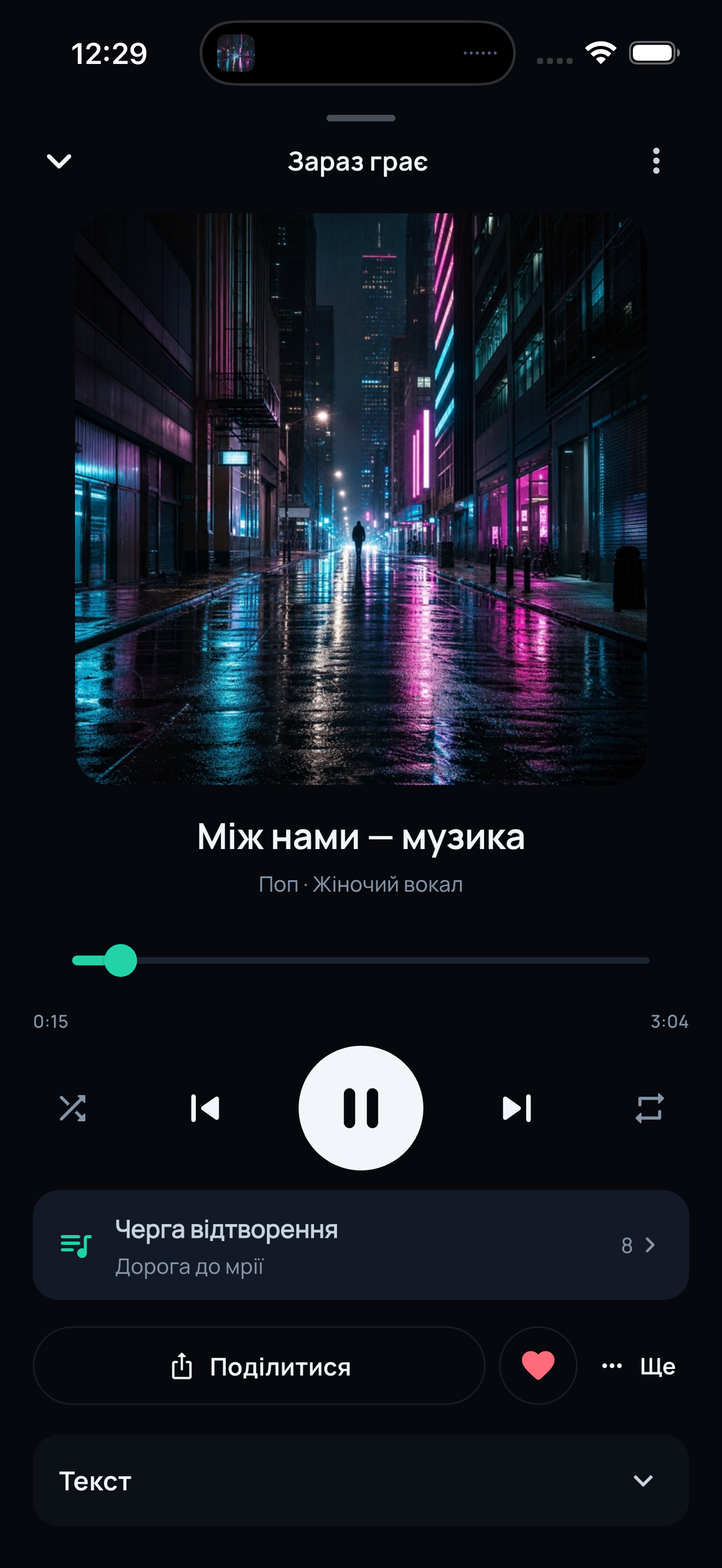
See upcoming songs, switch tracks, and use shuffle or repeat.
Use voice search in Android Auto to find a song or a collection in your Ritzma library.
RITZMA / IPHONE & ANDROID
Start listening on your phone, see what is next, and keep the same queue when you connect to the car.
Before you set off
Open Ritzma on your phone, check your library, and download songs before the trip if your subscription includes offline access.
Open Ritzma on your iPhone and make sure your songs are in the library.
Connect your iPhone to a compatible CarPlay display using the method supported by your car.
Open Ritzma in CarPlay. Choose Home, Library or Downloads and select a song.
Check that the Ritzma version on your Android phone includes Android Auto support.
Connect your phone to a compatible Android Auto display.
Open Ritzma on the car screen. Browse your library or use voice search to start listening.
Car support depends on your installed app version and a compatible vehicle. The Android Auto update has not yet been published on Google Play.
CarPlay requires a compatible iPhone and vehicle. Android Auto requires a compatible Android phone and vehicle. Ritzma car features also depend on the installed app version.
Download songs on your phone before the trip. Playing downloaded songs requires an active subscription with offline access.
Create songs and organize your collections on your phone before the trip. The car interface is designed for browsing and listening.
Check that your installed version of Ritzma includes car support. The Android Auto update has not yet been published on Google Play; check the release notes for availability.